
Modao
The go-to prototyping tool for many PMs—drag, drop, and demo to the team. Online prototyping and product-collaboration platform with whiteboard, design, and handoff.
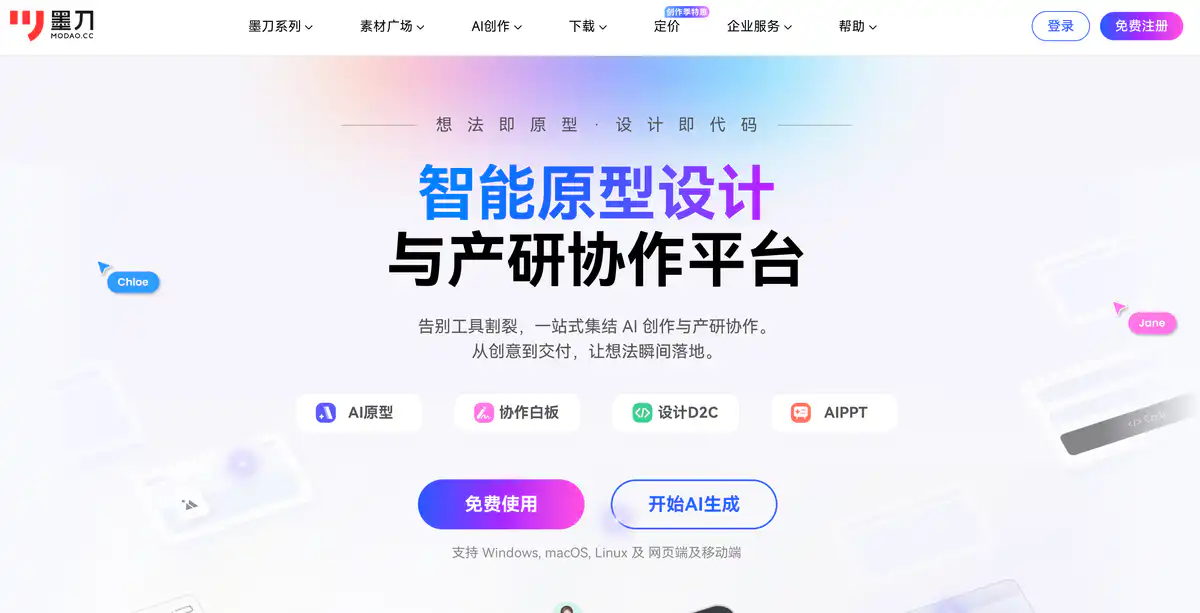
Site Overview
Modao is an intelligent prototyping and collaboration platform for product and development teams.
It brings together prototyping, whiteboards, UI design, AIPPT, and AI capabilities in one place. For product managers creating high-fidelity prototypes, doing real-device demos, and aligning with design and development, it is a very fitting tool.
Core Features
1. Modao Prototype: Create interactive prototypes online
Drag components, use templates, and build page flows with a low barrier to entry.
It supports real-device QR code preview, so reviews no longer rely on static images. It can also generate prototypes with AI, convert images to prototypes, and convert HTML to prototypes.
2. Whiteboard + Flowcharts: Lay out your thinking first
An infinite canvas for competitive analysis, journey maps, and brainstorming.
Sketches can also be converted by AI into editable prototypes. Flowcharts, mind maps, roadmaps, and other product planning scenarios are also available.
3. Modao Design: UI design and handoff
Professional capabilities such as auto layout, vectors, variables, and boolean operations.
It can import Sketch / Figma files, and slice export and specs are smoother.
4. AI documents and multi-platform collaboration
AI can write PRDs, product proposals, and test cases, and can also create AIPPT.
On the team side, there is multi-person collaboration, permissions, and an asset library. Axure hosting and sharing are also supported.
Pricing
Free trial available:
- Common starting quota of about 3 files for Prototype / Whiteboard / Design / AIPPT, etc.
- Prototype single-file limits of about 3 canvases and about 300 elements.
- About 100 AI credits are granted upon registration.
Individual paid plans (pricing):
| Plan | Price (approx.) | Main Benefits |
|---|---|---|
| Single-product subscription (Prototype/Whiteboard/Design, etc.) | Starting at ¥199/year (AIPPT about ¥99/year) | Choose one product; Prototype subscription includes about 100 files, etc. |
| Prototype Lifetime | Promo price about ¥618 | More generous file/canvas/page limits, including enhanced export and more |
| Super Membership Subscription | Promo price about ¥397/year | Bundles Prototype + Whiteboard + Design + AIPPT + Flowchart |
| Super Membership Lifetime | Promo price about ¥1399 | More generous file limits across all tools |
| Modao AI Credit Pack | About ¥68 / ¥168 | Credits correspond to generation/edit counts |
Team and enterprise plans:
- Team Plan: About ¥349/person/year (about 1–10 people; limits on number of projects, etc.)
- Enterprise Plan: About ¥599/person/year (more flexible headcount; more generous project/page limits, including operation logs, custom domain, etc.)
Pricing may change. Please refer to the website: https://modao.cc/pricing
Comparison with Similar Platforms
Unique Advantages
- A more complete product-development workflow: Whiteboard → Prototype → Design → PPT/Documents, reducing the need to switch between many tools.
- Strong real-device demos: QR code preview is very practical for product reviews.
- AI is integrated into the product workflow: Generate prototypes, PRDs, flowcharts, and PPTs, not just drawing.
Practical Highlights
- The asset library has many templates and components, making it easy for product managers to get started quickly.
- Axure hosting and multi-platform clients are supported, providing a migration path for older projects.
Objective Limitations
- The free quota is relatively tight, and serious projects will quickly hit file or element limits.
- Individual paid plans do not support multi-person collaboration; teams need to purchase seats separately. Complex interaction depth may still be less than desktop Axure.
| Comparison Item | Modao | Axure | Figma / Js Design |
|---|---|---|---|
| Positioning | Prototyping + collaboration + AI product-development platform | Classic desktop prototyping | More UI design collaboration |
| Learning Curve | Lower, with many components and templates | Steeper learning curve | Stronger design focus |
| AI Capabilities | More comprehensive for prototypes/documents/PPT | Relatively weak | Each has AI, with different focuses |
| Suitable For | Product managers, startup teams | Prototypers focused on interaction logic | Mainly UI/UX designers |
FAQ
Q1: What can I do with the free version of Modao? Is it enough?
A: You can register, try it out, and make small samples. The free version commonly has a quota of about 3 files. For serious multi-page projects, you will most likely need a membership.
Q2: How does it compare with Axure?
A: Modao is more online, better for presentations, and better for collaboration. Axure still has loyal users for complex conditional logic and traditional interaction specifications. It depends on team habits.
Q3: What is the difference between Super Membership and buying only Prototype?
A: Buying a single product only unlocks that one tool. Super Membership bundles Prototype, Whiteboard, Design, AIPPT, and Flowchart, making the full individual workflow more convenient.
Q4: Can I invite colleagues to collaborate with an individual membership?
A: The pricing FAQ states that individual memberships are for individual creation and do not support multi-person collaboration. For collaboration, purchase Team or Enterprise seats.
Q5: How is AI prototype generation billed?
A: It uses AI credits. Credits are granted upon registration. Memberships often include credit packs, and credits can also be purchased separately. Generation and modification consume different amounts.
Q6: Can design files be migrated from Figma?
A: Modao Design advertises compatibility with importing from Sketch and Figma, along with slice export, specs, and code generation. For complex files, it is recommended to test with a small sample first.
Q7: Can larger companies deploy it privately?
A: Yes. There is an Enterprise Plan and private deployment. Permissions, logs, custom domains, and local deployment are handled through enterprise procurement; pricing depends on consultation with a sales representative.