
Dribbble
Where designers go for inspiration and to show work—easy to lose an hour scrolling shots. Global community for digital designers to share portfolios, find ideas, hire talent, or land gigs.
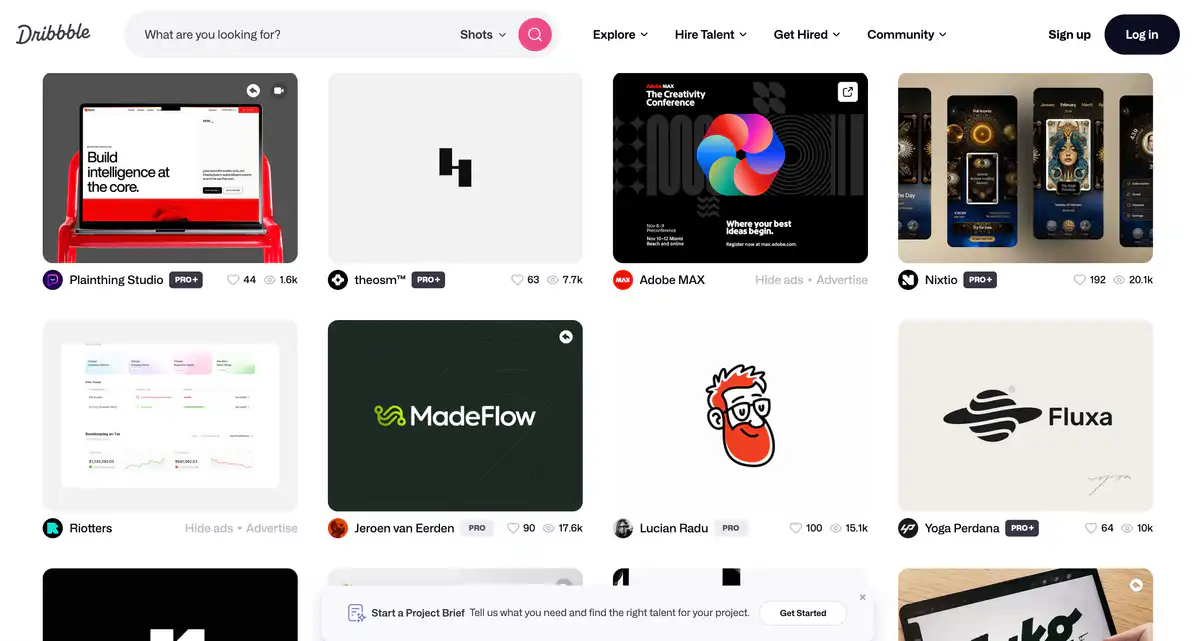
Site Overview
Dribbble is a well-known design inspiration website in the designer community.
People post Shots (short works) here, browse UI/UX design, illustration, and brand visuals. It supports building a portfolio, finding inspiration, and getting work—all three tracks can be pursued.
Core Features
1. Work showcase and design inspiration
Upload Shots to showcase UI, web, branding, illustration, and more.
Browse, like, and save work. It works well as a designer portfolio and inspiration library.
2. Finding designers / getting design work
Clients can search for designers, post project needs, and receive proposals.
Designers can list Services, receive inquiries, and respond to proposals.
3. In-platform transactions and protection
Projects can be proposed, communicated, and paid for within the platform.
For non-Pro designers, a platform fee of about 3.5% is common for withdrawals. Pro Standard/Plus (annual billing plans) can achieve a 0% Designer Platform Fee.
4. Personal site and team collaboration
Pro members can create a Playbook personal portfolio site, Intro video, and more.
Standard includes about 3 seats, and Plus includes about 10 team seats, suitable for studios and small agencies to present themselves and get work together.
Pricing
- Free to use: Posting work, browsing inspiration, receiving inquiries, replying to inquiries, and clients contacting designers are officially stated as free and open.
- Pro (annual billing)
- Lite: About $4/month — enhanced profile, light search weighting, lead receiving/proposal sending, up to about 3 Services, portfolio site
- Standard (common choice): About $8/month — higher exposure, 0% designer platform fee, access to Recommendations / InstantMatch, about 30 Project Briefs/month on annual billing, about 3 seats, advanced analytics, Pro badge, etc.
- Plus (agency-oriented): About $99/month — higher weighting, 0% client-side platform fee, about 300 Briefs/month on annual billing, about 10 seats, onboarding assistance, VIP support, etc.
- Monthly billing is usually more expensive; specific benefits are subject to the checkout page.
Pricing may change. Please refer to the website: https://dribbble.com/pro
Comparison with Similar Platforms
Unique Advantages
- High density of inspiration: UI, mobile, and brand visuals update quickly, making it a common place for designers to browse work.
- Portfolio + job acquisition are bundled together, not just a social platform for posting images.
- You can start for free: Build up work and receive inquiries first, then decide whether to upgrade to Pro.
Practical Highlights
- Shots are quick and concise, ideal for showcasing single screens or details, letting clients judge style at a glance.
- InstantMatch / Project Briefs shorten the process of “finding people” and “bidding.”
Objective Limitations
- It leans toward “polished single frames,” and complete case narratives are not as natural as long-form project pages on Behance.
- To consistently get high-quality leads, you usually need Pro; free exposure and the Brief pool are more limited.
| Comparison Item | Dribbble | Behance | Independent portfolio site |
|---|---|---|---|
| Positioning | Inspiration community + design service marketplace | Portfolio community within the Adobe ecosystem | Self-built brand site |
| Cost | Free to use; Pro about $4–$99/month | Basically free to browse/post | Domain + site-building costs |
| Job Acquisition | Strong in-platform inquiries/transactions | More about showcase and exposure | Depends on self-promotion |
| Content Format | Mostly short Shots | Stronger for long project cases | Fully customizable |
FAQ
Q1: Do I have to pay for Dribbble?
A: No. Posting Shots, browsing inspiration, and receiving/sending inquiries can be done for free. Pro mainly buys exposure, Brief quotas, lower or zero platform fees, and team capabilities.
Q2: How do I choose between Dribbble and Behance?
A: For browsing UI design inspiration, short works, and getting work, Dribbble is more suitable. For telling complete project stories and staying within the Adobe ecosystem, Behance is more suitable. Many people use both.
Q3: How do I choose among Pro Lite, Standard, and Plus?
A: For getting started and being visible, choose Lite. For seriously getting work through the platform, choose Standard (the common sweet spot). For agencies needing a large volume of leads and seats, consider Plus.
Q4: Can clients find designers for free?
A: Yes. The official statement says clients can contact service providers and request proposals for free. Specific processes are subject to the latest on-site product.
Q5: How exactly is the platform fee charged?
A: On the designer side, about 3.5% is common. Pro Standard/Plus (annual billing related plans) can waive the designer platform fee. Plus can also waive the client-side platform fee. Check the checkout page and Help Center for details.
Q6: Is it suitable for newcomers without a portfolio yet?
A: You can register, browse, and learn styles. But if you want to get work, it is best to first build up a set of complete Shots; an empty profile is hard to convert.
Q7: Can I use it just as a portfolio without upgrading to Pro?
A: Yes. Free uploading and showcasing are sufficient. If you want to use your profile as a client acquisition channel, then consider Pro’s weighting, analytics, and service slots.