
Figma
UI teams usually end up here at some point. Co-edit in the browser, hand off via Dev Mode—the free Starter plan is fine for learning; teams pay for the full stack.
Site Introduction
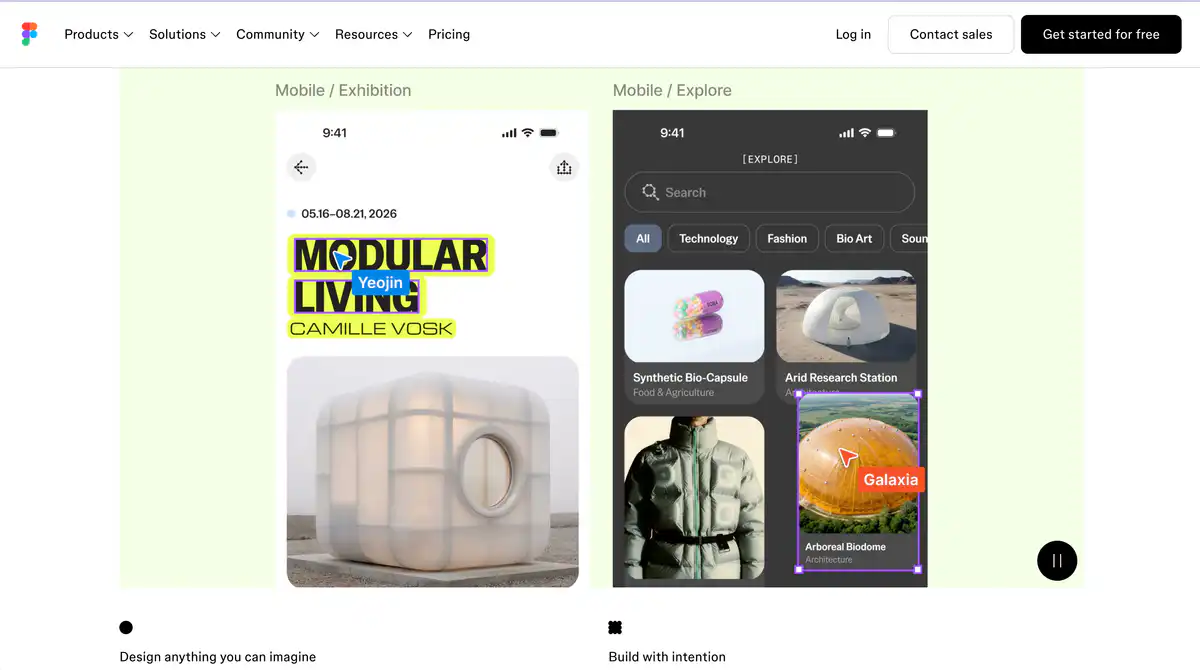
Figma is a collaborative design platform that works right in your browser. UI design, interactive prototyping, and developer handoff all happen in a single file.
It's for UI/UX designers, product managers, front-end developers, and anyone who needs an online design tool and remote collaboration.
Core Features
1. Figma Design — UI Design and Interactive Prototyping
Vector canvas, Auto Layout, components, and variables make web design and mobile UI design smooth.
Prototypes can include interactions, conditional logic, and even video. The Community has a huge library of design templates and UI kits that you can use and modify.
2. Dev Mode — Design to Code, a Handoff Power Tool
Developers switch to Dev Mode to view measurements, CSS/iOS/Android code snippets, and export assets directly.
No more screenshotting back and forth asking "what's the spacing here?" The View seat is free, so developers who only need to view without editing can get by.
3. FigJam + Figma Slides — Whiteboard and Presentations
FigJam is for brainstorming, user journey maps, and agile retrospectives; Figma Slides is for product presentations.
Design collaboration isn't limited to the canvas—meetings and requirement alignment can happen within the same ecosystem.
4. AI and New Product Lines (Some in Beta)
Figma Make generates code from prompts; Figma Weave handles AI image/video workflows; Figma Sites lets you publish responsive websites directly; Figma Buzz generates brand assets in batches.
AI features run on a credit system: Starter gets 500 AI credits per month, Professional Full seats get 3,000 credits/month.
Pricing Model
Yes. The Starter plan is permanently free, suitable for individuals and small teams trying things out.
Paid Plans (USD)
| Plan | Full Seat | Dev Seat | Collab Seat |
|---|---|---|---|
| Professional | $16/month | $12/month | $3/month |
| Organization | $55/month | $25/month | $5/month |
| Enterprise | $90/month | $35/month | $5/month |
- Full seat: Full access to Figma Design, Dev Mode, FigJam, Figma Slides, Figma Make, and more
- Dev seat: Dev Mode + FigJam + Slides, with Design files read-only
- Collab seat: Full FigJam + Slides features, Design read-only, no Dev Mode
- View seat: Free, view and comment only
Pricing may change; refer to the official pricing page: https://www.figma.com/pricing/
Comparison with Similar Platforms
Unique Advantages
- True browser collaboration: No Mac exclusivity, no file syncing—multiple people can edit the same canvas in real time with visible cursors
- A complete design-to-development chain: Dev Mode, Code Connect (Organization+), and Inspect annotations reduce the back-and-forth between design and code
- Large Community ecosystem: A huge number of free plugins, design systems, and UI kits, often updated faster than most competitors
Practical Highlights
- Component libraries + variables + Auto Layout: Makes building design systems and maintaining multiple themes much easier
- FigJam built in: Requirement reviews and flowcharts don't need a separate Miro—it's included with your seat
Objective Limitations
- Heavy use depends on the network: Complex large files can lag on weak connections, and offline capability is limited
- Free plan only has 3 collaborative files: Serious team projects will quickly hit the limit and need an upgrade to Professional
- Some new features are still in Beta: Figma Sites, Make, etc., have changing rules and pricing—don't treat them as long-term stable solutions
Comparison with Similar Tools
| Comparison Item | Figma | Sketch | Penpot |
|---|---|---|---|
| Platform | Browser + desktop | macOS only | Browser, self-hostable |
| Real-time collaboration | ✅ Native multi-user editing | ⚠️ Requires Sketch Cloud, weaker than Figma | ✅ Open-source collaboration |
| Free plan | Starter permanently free | 30-day trial | Completely free and open source |
| Dev handoff | Dev Mode built-in | Requires plugins/third-party | Basic Inspect |
| Plugin ecosystem | Very large | Mature on Mac | Smaller but growing |
| Best for | Cross-platform teams, remote collaboration | Heavy Mac UI designers | Teams that value open source/self-hosting |
Frequently Asked Questions
1. Is the free plan enough for learning UI design?
Yes. Files in Drafts are unlimited, and Community templates can be used freely. If you need long-term co-editing with others, the free plan only has 3 collaborative files—fine for practice, but for commercial projects, consider upgrading to Professional.
2. Do developer colleagues need a Full seat if they don't design?
No. The Dev seat (from $12/month) is specifically for developers: full Dev Mode features + read-only Design files. If they only need to view annotations, the free View seat also works.
3. What's the difference between Figma and Canva?
Canva leans toward posters, social media graphics, and quick output for non-designers. Figma is a serious UI/UX design tool with a component system, prototype interactions, and Dev Mode—its home turf is product interfaces and design systems.
4. Do AI features cost extra?
There is no separate AI subscription; credits are included with your seat. Starter gets 500 credits/month, Professional Full gets 3,000 credits/month. If that's not enough, you can purchase additional credits. AI Agents in Beta and some Make features currently don't consume credits, but this will change after official launch.
5. Can students get Professional for free?
Yes. Enrolled students and educators can apply for the Education plan. After verification, they get Professional-level features. K-12 and higher education validity is 2 years, Bootcamp is 6 months, and you can reapply when it expires.
6. Will Figma be slow in China?
Figma's servers are overseas, and there is no official node in China, so large files and real-time collaboration may occasionally lag. A common team approach is a stable network environment plus reasonable file splitting, or evaluating alternatives like Penpot.