
Js Design
A strong China-built collaborative design tool—works on Windows and Mac, easy for teams to edit together. Cloud UI design platform with real-time collab, prototyping, and developer handoff.
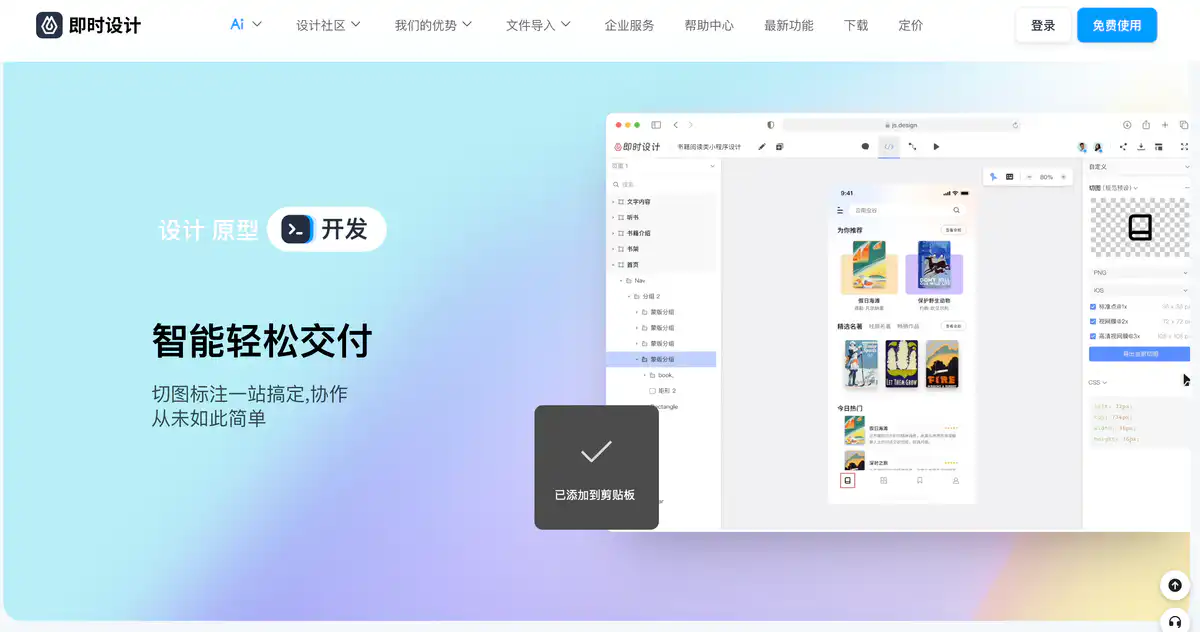
Site Overview
Js Design is a domestically developed cloud-based UI design tool.
It combines design, prototyping, and development handoff in one place, and it runs directly in the browser. The official positioning is: tailored for Chinese designers, like a “collaborative version of Sketch” that also works on Windows.
Core Features
1. Professional vector UI design
Pen tool, masks, boolean operations, auto layout, component variants, and shared styles are all available.
The canvas is divided into design / prototype / developer modes, so product, design, and engineering each work in their own context. It is suitable as a daily online UI design software.
2. Prototyping interactions and smart animation
Prototype connections, interaction events, and smart animations can create high-fidelity demonstrations.
Product flows no longer need a pile of separate presentation tools to hold things together.
3. Multiplayer collaboration + development handoff
Multiple people can edit in real time, leave comments and feedback, share resources, and manage teams.
On the development side, you can view specs, automatic slice exports, and code styles. A single link can pass design files to product and engineering.
4. File interoperability and resource ecosystem
It can import Figma / Sketch / XD files (the official site also mentions import capability for Axure and others).
It can export Sketch, PNG, SVG, PDF, and more.
The resource library has works, components, icons, and illustrations. There is also a plugin marketplace, including AI background removal, table generation, and more.
Pricing
According to the official pricing page:
Basic plan: Free forever
For individuals or small and medium-sized teams.Private deployment version: Contact for quote
Local/private cloud deployment, system integration, and higher confidentiality and permissions.
Pricing requires contacting the official team. The pricing page provides phone and email, and the privatization page has a form to fill out.
Pricing may change. Please refer to the website: https://js.design/pricing
Privatization details: https://js.design/privatization
Comparison with Similar Platforms
Unique Advantages
- Core features are free forever, making the barrier very low for individuals and small/medium teams.
- Chinese environment + smooth domestic access, with a friendly Windows collaboration experience.
- Design, slice export, and specs are all in one line, so product, design, and engineering do not need to pass files back and forth.
Practical Highlights
- Figma/Sketch/XD files can be migrated in, so old projects do not need to be completely redrawn.
- There are many resources and plugins, and icons, components, and AI assistance can be used directly.
Objective Limitations
- The global plugin ecosystem and depth for very large team design systems are still less mature than Figma’s ecosystem.
- The advanced version is still “coming soon.” If enterprise permissions and audit capabilities are a hard requirement, you may need to wait or go through private deployment consultation.
| Comparison Item | Js Design (即时设计) | Figma | Sketch |
|---|---|---|---|
| Positioning | Domestic cloud UI collaboration | Global mainstream cloud design | Mac-based professional design |
| Price Threshold | Basic plan free forever | Limited free tier, paid subscription for Pro | Mainly paid software |
| Collaboration | Real-time multiplayer editing | Strong real-time multiplayer collaboration | Requires cloud capabilities |
| More Suitable For | Domestic individuals/small-medium teams | Cross-border collaboration and large ecosystem | Mac power users |
FAQ
Q1: Is Js Design really free? Will it suddenly start charging?
A: The official pricing page states that the basic plan is free forever and explains that currently available features are permanently free. Enterprise-level advanced features and private deployment are handled separately. Please refer to the latest pricing page for details.
Q2: Can it replace Figma?
A: For daily UI design, prototyping, collaboration, and handoff, it is sufficient for many domestic teams. For global plugins, complex design systems, and cross-border collaboration, Figma is still more stable.
Q3: Does it work on Windows? Do I need to install a client?
A: Yes. It works in a cloud-based web browser. The official site also mentions multi-platform coverage. It is not tied to macOS.
Q4: Can Figma files be imported?
A: Yes. The official site supports importing Figma, Sketch, XD, and others, and can export to Sketch/PDF and more. For complex files, it is recommended to test the fidelity of the conversion.
Q5: How do developers get slice exports and specs?
A: Enter developer mode to view specs, slices, and code styles. This removes the step of “export, package, and send via messaging app.”
Q6: How is data security handled for larger companies?
A: Look into the private deployment version, which can be deployed locally or on a private cloud, gives you control over data, and allows internal system integration. Pricing is obtained through consultation.
Q7: Are there assets and plugins available?
A: Yes. There is a resource library with works, components, icons, and more, as well as a plugin marketplace. Official articles have also mentioned a large number of free resources and plugins available.