
remove.bg
Serious time-saver for white-background product shots, ID photos, and portrait cutouts—upload and get a transparent PNG in seconds with decent hair-edge detail. Batch, desktop apps, and API for heavier workflows.
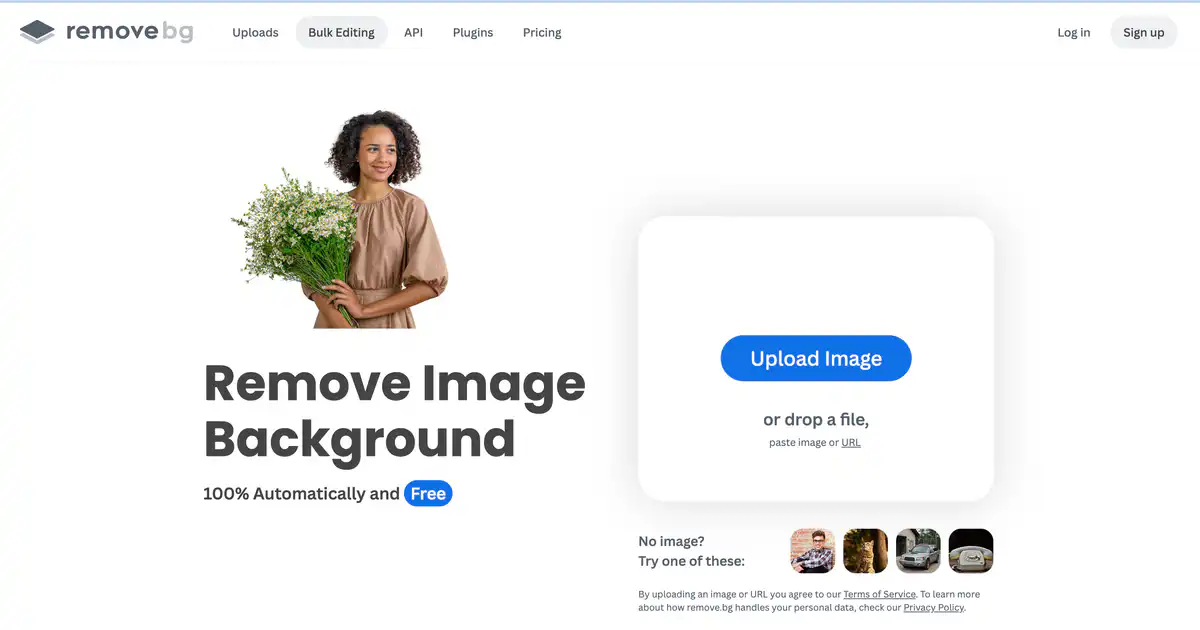
Site Overview
remove.bg is a veteran AI background removal tool. Upload an image and it will automatically cut out the subject and remove the background, producing a transparent background PNG within seconds. Its handling of hair strands and fine edges is well-regarded in the industry. It works for e-commerce white-background images, ID photos, and logos. It also offers AI background generation, Magic Brush for fine-tuning, as well as an API for background removal and batch processing capabilities for developers.
Core Features
1. One-Click Automatic Background Removal
Drag in an image, and the AI automatically identifies the subject and removes the background. It supports images with foregrounds such as people, products, animals, and cars. The official site highlights 100% automatic and free experience (preview resolution is limited, see pricing).
2. AI Background Generation + Background Replacement
Not just background removal—it can also generate custom backgrounds without writing prompts. You can replace with white, solid colors, or custom backgrounds, suitable for e-commerce cutouts, car images, professional headshots, and more.
3. Magic Brush for Manual Touch-Ups
When the AI occasionally misses edges or removes too much, use Magic Brush to fix it. It is very practical for complex semi-transparent or overlapping objects, adding an extra layer of control beyond purely automatic tools.
4. Batch Processing + Full-Chain Integration
Batch editing is claimed to reach about 500 images per minute (depending on resolution). It provides API, desktop apps (Windows/Mac/Linux), Photoshop plugin, Figma, Zapier, and other integrations, plus mobile apps, making it suitable for teams and developers building batch background removal pipelines.
Pricing Model
There is a free tier, but high-resolution export requires payment.
| Type | Description |
|---|---|
| Free | Unlimited low-resolution previews (approx. 0.25MP); API includes 50 free calls per month |
| Subscription (credit-based) | 1 credit ≈ 1 high-res background removal export. Publicly known tiers: Lite $9/mo (40 credits), Pro $39/mo (200 credits), Volume+ $89/mo (500 credits); annual billing often has about 10% discount |
| Pay-as-you-go | One-time credit purchases supported, suitable for those who occasionally need a few high-res images and don't want a monthly fee |
| Enterprise | For large volumes, custom API rate limits, overdraft protection, etc. Contact sales for a quote |
Note: The free tier cannot directly download high-res large images; to get transparent background PNG or 50MP-level output, credits are required.
Pricing may change; please refer to the official pricing page: https://www.remove.bg/pricing
Comparison with Similar Platforms
Unique Advantages
- Cutout precision: Stable performance on hair strands, fur, and complex edges; high industry recognition; mature API background removal ecosystem for developers.
- Processing speed: A few seconds per image; in API batch scenarios, up to about 500 images per minute (depending on image resolution).
- Wide integration: Web, desktop batch, Photoshop/Figma plugins, Zapier, mobile, and REST API all available—low integration cost for e-commerce and SaaS.
Practical Highlights
- ZIP output format: Transparent images are smaller and generated faster, suitable for high-performance pipelines.
- Magic Brush: Allows manual touch-ups after automatic removal, much more convenient than a "start over" experience.
Objective Limitations
- Hard free-tier limits: Preview is only about 0.25MP; e-commerce listings and print-grade high-res cutouts basically require payment.
- Per-image pricing is relatively high: Fine for small batches and occasional use; when processing thousands per month, the per-image cost (around $0.16–$0.23 tier) is higher than some competitors.
| Comparison Item | remove.bg | PhotoRoom | Slazzer |
|---|---|---|---|
| Free high-res export | No (low-res preview) | Limited free tier | Limited free tier |
| API / Batch | Mature, 50 free preview calls/month | Has API, different tiers | Has API |
| Cutout precision (hair etc.) | Strong | Strong | Above average |
| Plugin ecosystem | PS/Figma/Zapier etc. | Strong mobile | API/Web focused |
| Typical monthly entry price | About $9/40 images | About $10 tier | About $6 tier |
| Best for | E-commerce, developers, need stable API | Social media, small businesses, mobile | Budget-sensitive, API trial |
FAQ
1. Is remove.bg really free?
You can use the free online background removal to see results, but free downloads are mostly low-resolution previews (about 0.25MP). For high-res cutouts and large transparent background PNGs, credits or a subscription are required. The API's 50 free calls per month are also preview-level.
2. Can I use it without registering?
You can upload an image on the web and see the automatic background removal preview. Downloading high-res or managing credits usually requires creating an account.
3. Which image formats are supported?
Input commonly includes JPG, PNG, etc.; the API already supports WebP. Output options include PNG (transparent, up to about 10MP), JPG/WebP/ZIP (up to about 50MP), choose based on the scenario.
4. How do I make e-commerce white-background images?
Upload a product image → automatically remove background → replace with white or export a transparent PNG and composite later. For batch work, use the desktop app or API, suitable for product image cutout pipelines.
5. How does it compare to manual Photoshop cutouts?
Speed: a few seconds per image vs. half an hour manually. Precision: for simple images the difference is small; for complex hair, remove.bg is often faster. For ultimate control or creative compositing, PS is still stronger; for daily one-click cutouts, this is more convenient.
6. How is API billing done?
It is credit-based: 1 high-res image ≈ 1 credit. Preview resolution costs about 0.25 credits per image. New users get 50 free API calls per month (see API docs). Rate limit is approximately 500MP per minute equivalent (large images consume more quota).
7. What is the relationship with Canva?
remove.bg is a brand under Canva Austria GmbH. Canva has built-in background removal, but remove.bg focuses more on professional cutout API and batch scenarios, and many third parties still directly integrate its API.