
Notion
When you want notes, projects, and a wiki in one flexible space, this is where many teams land. Pages bend to almost any workflow; AI handles meeting notes, search, and agents—free for solo use, full AI needs a paid plan.
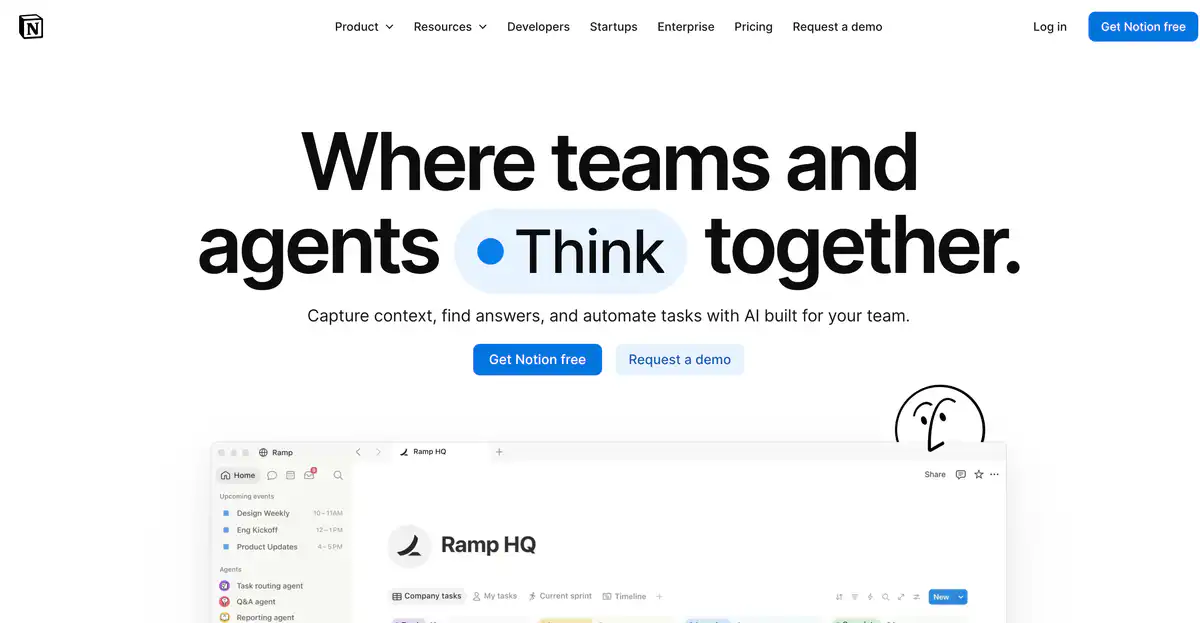
Site Introduction
Notion is an "All-in-One workspace" that combines documents, databases, project management, and an AI assistant.
Take notes, manage projects, build a knowledge base, and create wikis all in one place. Since 2025, Notion has shifted its focus to AI-powered work: Agents do tasks automatically, meeting notes are written by AI, and answers can be searched across Slack/GitHub — team knowledge is tied together with AI conversation, so you don't have to switch back and forth between a dozen apps.
Core Features
1. Knowledge base + documents: one system to manage all information
At the core of Notion are the Block editor and Database. A page of notes, a task table, or a project board — you can structure it however you like.
Team wikis, product docs, OKR tracking, and personal notes can all be done in one Workspace. Knowledge management and project management are no longer separated — this is the biggest difference from pure AI writing tools.
2. Notion AI + Agent: not just chat, but actually executes for you
The Business plan unlocks full AI capabilities:
- Notion Agent: completes multi-step tasks based on Workspace content, connected apps, and the web
- AI Meeting Notes: automatically generates summaries and action items after a meeting, without needing an extra bot to join the call
- Enterprise Search: searches across Slack, GitHub, Jira, Google Drive, etc., with citations
- Research Mode: deep reasoning, producing detailed reports with citations
Free / Plus plans only include a Limited Trial, not the full AI.
3. Custom Agents: automatically handle repetitive tasks 24/7
Custom Agents can autonomously execute repetitive workflows — organizing feedback, replying to Slack tickets, generating weekly reports, and more. After a free trial, it is billed at $10 / 1,000 Notion Credits, available on Business and above.
Combined with Workers (Beta), you can write custom code to extend Agent capabilities, sync external data, and trigger workflows.
4. Connected ecosystem: Calendar, Forms, Sites in one place
- Notion Calendar: aggregates multiple calendars, linking meetings and notes
- Forms: collect data through forms and write directly into a Database
- Sites: publish Notion pages as websites, with custom domain support
- Connections: deep integrations with Slack, Google Drive, GitHub, Asana, etc.
Pricing Model
Notion is billed per member, with annual billing being cheaper.
| Plan | Price | AI capabilities | Best for |
|---|---|---|---|
| Free | $0/member/month | Limited Trial (limited AI trial) | Personal notes, lightweight project management |
| Plus | $10/member/month (annual) | Same as above, trial only | Small team collaboration |
| Business | $20/member/month (annual, recommended) | Full Notion AI (Agent, Meeting Notes, Enterprise Search) | Teams that need AI |
| Enterprise | Contact sales | Full AI + zero data retention with LLM | Large enterprises, high compliance requirements |
Additional notes:
- Free for personal use: unlimited Blocks in a single-member Workspace; Blocks become limited after adding a second member.
- Free limitations: single file upload 5MB, page history 7 days, external Guests 10 people.
- Full AI is only available on Business and above. Since May 2025, the standalone AI add-on has been discontinued, and Plus can no longer purchase AI separately.
- Custom Agents are billed separately: after trial, $10 / 1,000 Credits.
- Monthly billing is more expensive than annual: Plus is about $12/month, Business about $24/month (subject to the official site).
- Students/edu emails can get the Plus plan for free (limited to 1 person).
Pricing may change; please refer to the official website: https://www.notion.com/pricing
Comparison with Similar Platforms
Unique advantages
- Documents + databases + AI in one: not a standalone AI chatbot; the AI directly reads the real content in your Workspace, so context is naturally accurate.
- AI Meeting Notes without a bot joining the call: it records system audio, works with Zoom / Google Meet / Teams, and automatically turns notes into action items.
- Extremely flexible block editor: Wiki, CRM, content calendar, personal journal — the same tool can be shaped into completely different forms.
Practical highlights
- Enterprise Search with citations: searches across Slack, GitHub, and labels the source of every conclusion, reducing AI hallucinations.
- Agent can directly modify Databases: after a meeting, it can automatically update project status and assign tasks, not just output a paragraph of text.
Objective limitations
- High threshold for full AI: Free / Plus only have a trial; to get Agent and cross-app search, the minimum is $20/member/month.
- Limited Enterprise Search integrations: only supports tools officially integrated by Notion; if your own SaaS stack is not on the list, knowledge remains siloed.
- Access in China and Chinese experience: servers are overseas, and network access in China may be unstable.
Similar tool comparison
| Comparison item | Notion | Obsidian | Confluence |
|---|---|---|---|
| Positioning | All-in-One AI workspace | Local-first notes | Enterprise Wiki / docs |
| AI capabilities | Agent + meeting + cross-app search | Requires plugins (Copilot, etc.) | Rovo AI (Standard and up) |
| Full AI price | Business $20/member/month | Plugin costs extra | Standard ~$5.4/member/month includes Rovo |
| Database/boards | ✅ Native Database | ❌ Requires plugins | ✅ Limited |
| Offline use | Limited (Recents auto-download) | ✅ Fully local | ❌ Requires network |
| Team collaboration | ✅ Real-time collaboration | ❌ Weak (Sync costs extra) | ✅ Mature |
| Custom flexibility | ✅ Extremely high | ✅ Extremely high | ❌ Template-based |
| Best for | Startup teams, product/design | Personal knowledge management | Atlassian ecosystem enterprises |
FAQ
1. Is Notion completely free?
For personal use, it's basically free. A single-member Workspace has unlimited Blocks, enough for notes and personal project management. But AI is only a limited trial, files are limited to 5MB, and history is kept for only 7 days. For team collaboration or heavy AI use, you will eventually need to pay.
2. What is the minimum cost to get full Notion AI?
The Business plan at $20/member/month (annual billing). It includes Agent, AI Meeting Notes, Enterprise Search, and Research Mode. A 5-person team = $100/month. Custom Agents are billed separately in Credits.
3. What is the difference between Free and Plus AI trials?
Both are labeled Limited Trial, and the full AI capabilities are equally restricted. Plus mainly adds: unlimited file uploads, 30-day page history, unlimited Guests, Database charts, and other collaboration features — not for unlocking more AI.
4. Does AI Meeting Notes need a bot to join Zoom?
No. It records system audio plus microphone, and works with Zoom, Google Meet, and Teams. It also supports in-person meetings. Just type /meet on any page or start from Calendar.
5. Will Notion AI use my data to train models?
Official statement: by default, customer data is not used to train models, unless users actively opt in. On the Business plan, AI data is retained for 30 days; on the Enterprise plan, LLM providers have zero data retention. See Notion AI security notes.
6. How to choose between Notion and Obsidian?
Obsidian is suitable for personal knowledge management, local Markdown, and extreme customization, but team collaboration and native AI are weak. Notion is suitable for teams building wikis together, project tracking, and scenarios requiring AI to execute automatically. Many people use Obsidian for personal notes and Notion for team collaboration.