
WPS AI
If you live in Word, Excel, and PowerPoint, this fits right in—no extra tab needed. Draft copy, build slides, read PDFs, and run formulas with AI inside WPS; daily free credits cover light use, membership unlocks the rest.
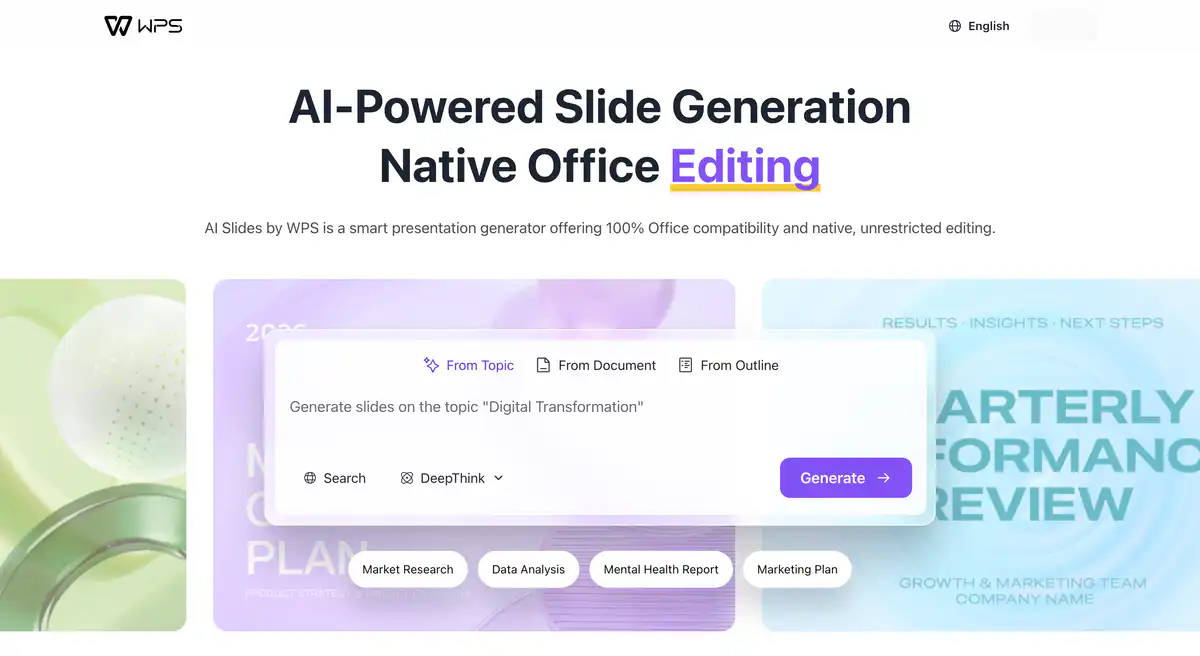
Site Introduction
WPS AI is an AI office assistant built into Kingsoft Office, embedded directly in WPS Writer, Spreadsheets, Presentation, and PDF.
No need to switch to ChatGPT and copy-paste—writing weekly reports, generating PPTs with one click, writing formulas in spreadsheets, and summarizing full PDFs can all be done within the familiar Office interface. For Chinese official documents, reports, and spreadsheet scenarios, it is more convenient than general-purpose AI chat tools.
Core Features
1. AI Writing Assistant: From Outline to Full Text, Companion Writing Without Getting Stuck
AI Write for Me can generate outlines, continue writing, and produce full text; AI Companion Writing suggests the next sentence as you type, and you can press Tab to accept if it fits.
There are also polishing, rewriting, error correction, and style changes (e.g., classical Chinese style). Ready-made templates are available for weekly reports, work reports, speeches, press releases, and Xiaohongshu titles.
For daily AI writing, official documents, and reflections, you don't have to start from scratch.
2. AI PPT Generation: Theme, Document, or Outline — All Three Routes Work
Enter a topic to directly generate a full PPT; upload a Word/PDF to convert to a presentation; or first write an outline and then generate.
It also supports AI generation of a single PPT page, so you don't have to redo the whole deck when modifying one page. For reports, training materials, and performance reviews, it saves a lot of layout time.
Note: Full PPT generation is mainly available in the WPS desktop client; mobile capabilities vary by version.
3. AI Reading Assistant: No Need to Struggle Through Long PDFs
AI Full-Text Summary extracts key points from dozens of pages of reports in seconds; AI Document Q&A lets you ask questions directly about contracts and papers; AI Document Mind Map generates a mind map based on structure; AI Full-Text Translation preserves the original layout.
For contract review, literature reading, and financial report summaries, it is a very practical scenario among AI document summarization tools.
4. AI Data Assistant: Work with Spreadsheets Without Knowing Formulas
Describe your needs in natural language, and AI Formula Writing automatically generates functions; AI Conditional Formatting highlights out-of-range data in red; AI Data Q&A interprets trends and provides chart conclusions; AI Spreadsheet Assistant directly operates the spreadsheet.
Can't remember Excel functions? Just speak plainly. This is the biggest difference between WPS AI and pure chat AI tools—it modifies the actual spreadsheet, not just gives you a paragraph of text advice.
Pricing Model
Not completely free, but with a daily trial quota. The official model is "free quota + membership/AI benefits pack."
| Type | Description |
|---|---|
| Free Trial | Registered users have a daily free AI quota covering basic scenarios like writing, PPT, reading, and data |
| WPS Membership | Adds daily AI uses on top of the free quota (regular membership benefits may not include all AI features) |
| Super Membership / AI Benefits Pack | Higher daily quota, unlocks long document summarization, advanced data analysis, etc.; the AI Benefits Pack can be purchased separately without upgrading the whole membership |
| WPS Lingxi | Independent AI agent product line (entry on official website), not in the same membership system as WPS AI; billing is separate |
Important notes:
- The web version only offers basic features; for heavy use, install the desktop client.
- Benefits may differ across platforms (Windows / Mac / mobile) and account types (personal / organization).
- An ordinary WPS membership name does not mean it includes AI benefits; check the benefits list before paying.
Pricing may change; refer to the official website and the client's membership center: https://ai.wps.com/ (after logging in, view the "Membership Center" or "AI Benefits" page)
Comparison with Similar Platforms
Unique Advantages
- Deeply embedded in the WPS suite: AI results are directly written into .docx / .xlsx / .pptx, with Excel-compatible formatting—no need to copy and paste back and forth.
- Complete PDF capabilities: Summary, Q&A, translation, and editing in one package; Microsoft Copilot's current PDF support is noticeably weaker than WPS.
- Well-suited to Chinese office scenarios: Official documents, reports, spreadsheet formulas, conditional formatting—Chinese AI interaction is more natural than with most international tools.
Practical Highlights
- AI Companion Writing: Suggests the next sentence in real time during writing, less disruptive to your train of thought than "generate the whole paragraph then paste."
- Document to PPT: Turn an existing Word report into a presentation with one click; flexibly switch between outline, single-page, and full-set modes.
Objective Limitations
- Web version is stripped down: The official website clearly states that "the web version only offers basic features"; a full experience requires downloading the client.
- Free quota is limited and not transparent: The specific daily usage count is not fixed or publicly disclosed by the official side, so heavy users quickly hit the ceiling; numbers in various tutorials can easily become outdated.
- Weaker at complex cross-software tasks than agent-class products: Batch automation across multiple documents and cross-app operations require using WPS Lingxi (billed separately).
Comparison with Similar Tools
| Comparison Item | WPS AI | ChatGPT | Microsoft Copilot |
|---|---|---|---|
| Native Office Integration | ✅ Deeply embedded in WPS | ❌ Requires copy-paste | ✅ Embedded in M365 |
| AI PPT Generation | ✅ Topic/document/outline | ❌ No native PPT | ✅ Outline generation |
| PDF Summary/Q&A | ✅ Full support | ✅ Upload analysis | ❌ Almost no PDF editing |
| Spreadsheet Formulas/Operations | ✅ Directly modifies spreadsheets | ❌ Only provides formula text | ✅ Excel integration |
| Chinese Office Scenarios | ✅ Rich official document/report templates | Average | Average |
| Free to Use | ✅ Daily quota | ✅ GPT basic tier | ❌ Requires M365 + add-on fee |
| Entry-level Price Reference | Super Membership about 200 CNY/year tier | Plus about $20/month | M365 + Copilot about $30/month |
| Suitable For | Domestic everyday office users | General creation/programming | Enterprise users in Microsoft ecosystem |
Frequently Asked Questions
1. Is WPS AI completely free?
Not exactly. Registered users have a daily free AI quota, which is usually enough for light use (a few polishes or summaries per day). After exceeding it, you need to subscribe to a membership that includes AI benefits, or purchase an AI Benefits Pack separately.
2. Is using only the web version at ai.wps.com enough?
No. The official website clearly states that "the web version only offers basic features." Full capabilities such as AI PPT generation, Spreadsheet Assistant, and Companion Writing require the WPS desktop or mobile client. The web version is more suitable for quick trials and template previews.
3. I'm already a WPS member, why does it still say insufficient AI benefits?
An ordinary WPS membership and a Super Membership that includes AI benefits are not the same thing. Some AI features require a Super Membership or a separate AI Benefits Pack. First check whether the logged-in account is the same, then look at the benefits list in the Membership Center to see if the AI feature you want is included.
4. What is the difference between WPS AI and WPS Lingxi?
WPS AI is an AI assistant embedded in WPS documents for editing text, writing formulas, and making PPTs—suitable for single-document tasks. WPS Lingxi is an independent AI agent that can execute complex multi-step tasks across documents and software (e.g., "analyze Excel → write a report → make a PPT"). The two product lines and billing systems are independent of each other.
5. Can AI-generated PPTs / documents be used directly?
They can be used as drafts, but data and facts must be manually verified. AI may fabricate numbers or citations; formulas, formatting, and layout should also be reviewed. The official side also emphasizes: AI-assisted generation requires human review before delivery.
6. Compared with Kimi, which is stronger for long document processing?
Kimi has an advantage in ultra-long context (million-character level) document summarization and contract review. WPS AI's strength is that it edits and outputs directly within WPS, without needing to upload files to a third party. If you're already working in WPS, WPS AI is more convenient; for purely reading long PDFs for research, Kimi might be more suitable.
7. Is it safe to upload company data?
For client materials, contracts, and undisclosed financial data, do not upload them directly for trial. Organizational users should first confirm the administrator plan and internal data compliance requirements. For personal trials, use test documents that do not contain sensitive information.