
W3Schools
The plain-spoken starter kit for web coding—tweak the example, hit run, and see what happens.
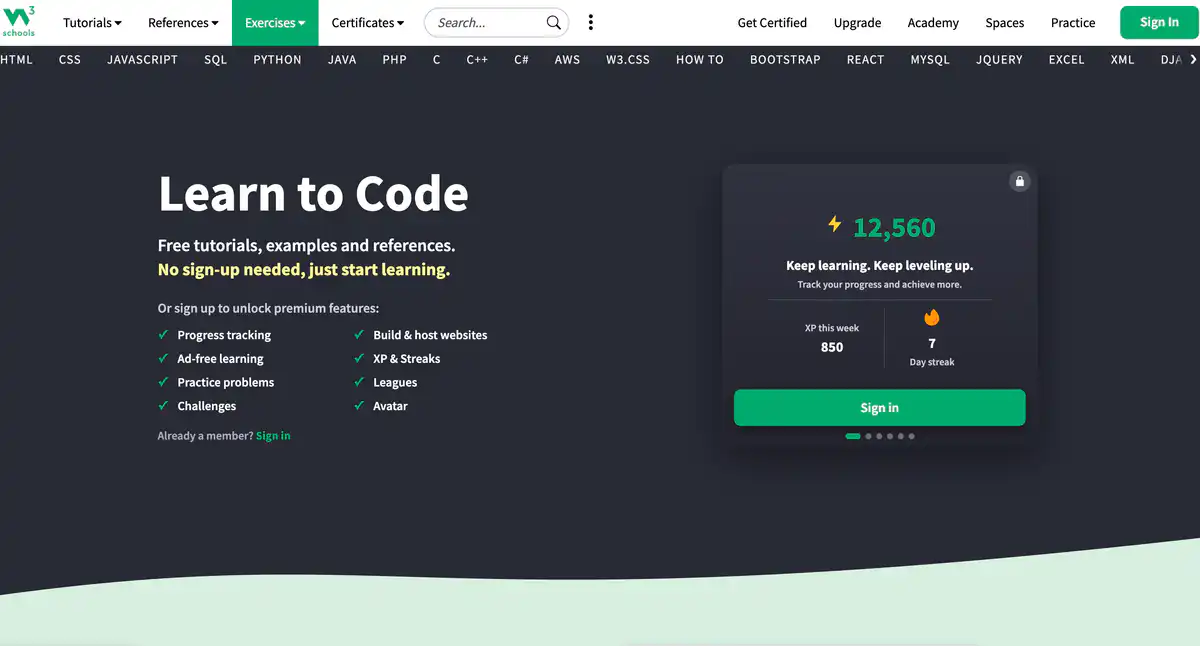
0## Site Overview
W3Schools is a long-established online programming tutorial site.
For learning HTML, CSS, and JavaScript, many people start here. It is suitable for programming beginners, looking up syntax, and quickly getting started with web development and frontend fundamentals.
Core Features
1. Interactive tutorials and reference documentation
Covers HTML tutorials, CSS tutorials, JavaScript, Python learning, SQL tutorials, PHP, Java, C++, React, Bootstrap, and more.
Chapters are short, with many examples, allowing you to learn while practicing.
2. Online code editor (Try it Yourself)
Modify code in the browser and see results immediately.
Both frontend and backend editors are available.
3. Exercises, quizzes, and hands-on projects
Includes Exercises, Quizzes, weekly challenges, and step-by-step projects.
You can also track progress, earn XP, and join leagues.
4. Spaces website builder + certification exams
W3Schools Spaces allows you to build and host websites in the browser.
For teachers, there are Classroom / Academy features to manage classes.
Pricing Model
Core tutorials are basically free.
Common plans on the official pricing page (promotional prices may change):
- Free: $0
Progress tracking, goal setting; about 1 static site; about 100 credits/month - Plus: commonly about $14.99/month (annual billing often has discounts; lower promotional prices may appear)
Ad-free, unlimited challenges/quizzes, more Spaces (about 15 static sites + 1 full-stack service), higher credits, priority support, etc. - Full Access: one-time payment of about $499 (the page has listed a higher original price)
Includes Plus features + all courses/certification exams/career paths, advertised as available for the lifetime of the platform - Individual certification exam: commonly about $95 per subject (purchased separately from Plus)
Fees may change. Please refer to the website: https://order.w3schools.com/plans/
For certificates, also see: https://campus.w3schools.com/
Comparison with Similar Platforms
Unique Advantages
- Extremely short entry path: click and learn, with a high density of examples
- Try it Yourself gives immediate results after editing, minimizing learning friction
- Broad topic coverage, from the web trio to Python, SQL, and data-related content
Practical Highlights
- The HowTo / code snippet section is convenient for quickly looking up small tasks like “how to make a carousel” or “how to center something”
- Spaces connects “finishing learning” with “building a small site”
Objective Limitations
- To lower the barrier, examples are often simplified, and depth and engineering standards are not as strong as MDN or systematic courses
- Ads on free pages are noticeable; certification is more of an entry-level proof, and its value in the job market needs to be judged by yourself
| Comparison Item | W3Schools | MDN | freeCodeCamp |
|---|---|---|---|
| Learning Barrier | Very low, suitable for beginners | More reference-oriented, slightly steeper | Low, but a longer path |
| Content Depth | Beginner to intermediate | Stronger on standards and details | Stronger project-driven learning |
| Hands-on Approach | Online editor for immediate practice | Mainly requires setting up your own environment | Course tasks + projects |
| Paid Features | Plus / certificates | Basically free | Basically free |
FAQ
Q1: Is W3Schools free?
The main tutorials are free. Charges apply for ad removal, more Spaces, unlimited challenges, certification exams, and similar features.
Q2: Is it suitable for complete beginners learning frontend?
Yes. Just follow the path from HTML → CSS → JavaScript, and it is especially good for building initial familiarity.
Q3: How do I choose between W3Schools and MDN?
If you are just starting and want to get hands-on quickly, use W3Schools first. If you need to check standards, attribute details, or browser differences, use MDN.
Q4: Are the certificates useful?
They prove that you passed the corresponding subject test and can be added to your resume or LinkedIn. However, they are not equivalent to a university degree or a hard requirement at major companies, so do not overstate their value.
Q5: Is Plus worth buying?
If you mainly look up syntax, the free version is enough. If you are annoyed by ads, frequently do challenges/quizzes, or need more Spaces, then consider Plus.
Q6: Can I find a job using only this site?
Not enough. It is great for building foundations and quick reference. To find a job, you also need real projects, Git, engineering practices, and interview preparation.
Q7: Is there a Chinese version?
The main site is primarily in English. There are mirrors and translated sites online, but their timeliness and accuracy are usually not as good as the official site. Learning in English is actually more beneficial for technical content.