
Google Translate
It's practically the default shortcut for crossing language barriers—most people just call it Google Translate. The web hub handles text, documents, websites, and images with an enormous language list, no signup, and no paywall for everyday use.
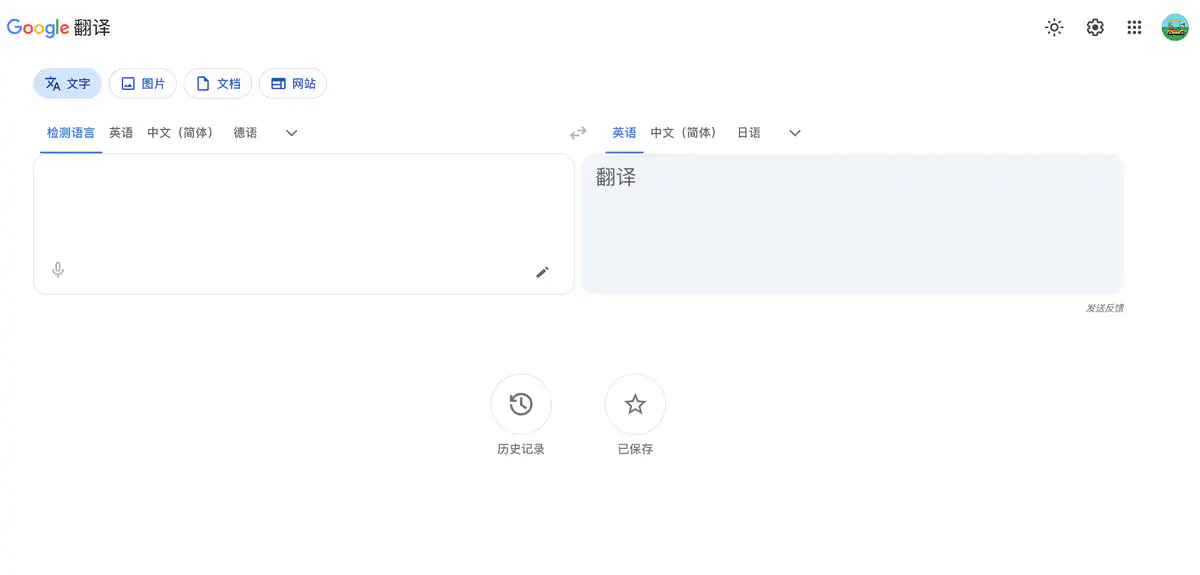
Site Introduction
Google Translate (translate.google.com) is the world's most widely used free online translation tool.
Look up words, translate web pages, read foreign menus, or translate entire documents — no registration, no payment required. Just paste and it works. It currently supports 249 languages, with small-language coverage among the best in its class.
Core Features
1. Free Translation Across All Scenarios
Four main entry points: Text, Documents, Websites, and Images.
Paste or type directly in the text box, and the source language is detected automatically. For website translation, enter a URL to translate the entire page. For image translation, upload a photo or take a picture, and the text is automatically recognized and translated.
2. Document Translation
Supports .docx, .pdf, .pptx, and .xlsx formats.
Upload a file to generate a translated document that can be downloaded. The per-file limit is 10 MB, and PDFs can have up to 300 pages. Complex formatting may be lost, but it is sufficient for simple documents.
Pricing Model
Individual users: completely free
- Text, website, image, and document translation — zero cost, no membership
- No character limit (documents have file size and page count caps)
Document translation limits (hard caps for the free version)
| Limit item | Quota |
|---|---|
| Max file size | ≤ 10 MB |
| Max PDF pages | ≤ 300 pages |
| Supported formats | docx / pdf / pptx / xlsx |
Cloud Translation API (developers/enterprises)
| Service | Free quota | Price after quota |
|---|---|---|
| Neural Machine Translation (NMT) | 500,000 characters/month | $20 per million characters |
| Document translation (API) | No free quota | $0.08 per page |
| LLM translation | No free quota | $10 per million characters for input and output each |
| Custom models | 500,000 characters/month | From $80 per million characters |
New users can also receive $300 in Google Cloud free credits (limited period, not permanent).
Pricing may change; please refer to: https://translate.google.com/ (individual version) / https://cloud.google.com/products/translate/pricing (API)
Comparison with Similar Platforms
Unique Advantages
- Most languages supported: 249 languages, including many minority languages and dialects, far surpassing DeepL (around 30) and domestic Chinese translation tools.
- Permanently free for individuals: Text translation has no character limit, no ad pop-ups, and no push to buy a membership — rare among translation tools.
- AI real-time interpretation: Gemini-powered Live Translate supports continuous speech translation in 70+ languages while preserving intonation and rhythm, useful for meetings and travel.
Practical Highlights
- Full-page website translation: Enter a URL and get an instant translation, so you don't need to copy and paste foreign articles paragraph by paragraph.
- Offline language packs: After downloading in the app, you can translate without an internet connection, saving data when roaming abroad.
Objective Drawbacks
- Unstable access from mainland China, usually requiring a special network environment; this is the biggest barrier for domestic users.
- Formatting loss in document translation is a persistent problem; translated layouts for complex PDFs or spreadsheets are often messy. For professional documents, DeepL or human translation is recommended.
- For literary, legal, medical, and other specialized content, translation quality is not as precise as DeepL; quality for less common languages varies.
Comparison with Similar Tools
| Comparison item | Google Translate | DeepL | Baidu Translate |
|---|---|---|---|
| Positioning | Global free general-purpose translation | High-quality European-language MT | Full-featured platform for Chinese scenarios |
| Language support | 249 | 30+ | 200+ |
| Individual pricing | Completely free | Free with limits, Pro paid | Basic free, membership for advanced |
| Document translation | Free, 10 MB / 300-page limit | Stronger in Pro version | Membership unlocks advanced features |
| Real-time interpretation | Live Translate (70+ languages) | Limited | AI interpretation (desktop) |
| Availability in China | Requires special network | Directly accessible | Direct access in China |
| Suitable for | Global users, minority language needs | Those pursuing translation quality | Domestic students/professionals |
FAQ
1. Is Google Translate really completely free?
For individual users, yes. Text, website, and image translation are unlimited and free. Document translation is also free, but with a 10 MB and 300-page limit. Only developers using the API are billed by usage.
2. Can it be used in mainland China?
The web version and app usually cannot be accessed directly in mainland China and require a special network environment. If the network is not available, consider domestic alternatives such as Baidu Translate or Youdao Translate.
3. Why does document translation mess up the formatting?
Google Translate's document mode prioritizes preserving text content, so complex layouts, embedded images, and tables are often distorted. Simple Word documents are generally fine; for polished PDFs or PPTs, it is recommended to manually adjust after translation or switch to DeepL Pro.
4. How do I translate large files?
Files exceeding 10 MB or 300 pages are not accepted by the Google Translate web version. You can only split them manually and translate each part separately, or use the Cloud Translation API (charged at $0.08 per page).
5. What is the difference between Live Translate and Conversation mode?
Conversation mode is the traditional turn-based speech translation (32 languages). Live Translate uses Gemini AI and supports 70+ languages for continuous real-time two-way interpretation, preserving the speaker's intonation, closer to real simultaneous interpretation. It is currently mainly available in the app and is gradually rolling out in some regions.
6. Where is translation history stored?
After signing in to a Google account, translation history is synced to "My Activity." If not signed in, it is not saved. You can manage and delete it in Google Activity Controls.
7. Which should I choose between Google Translate and DeepL?
For everyday Chinese-English translation, reading news, or translating simple documents — Google Translate is free and sufficient. For European language quality or formal business documents — DeepL is usually more accurate. Users in mainland China also need to consider network accessibility, which is a major drawback for Google Translate.