
Grok
More direct than most AI assistants, with live data from X and the web. Chat, deep search, image and video generation—all in one place; the free tier covers basics, power users go SuperGrok.
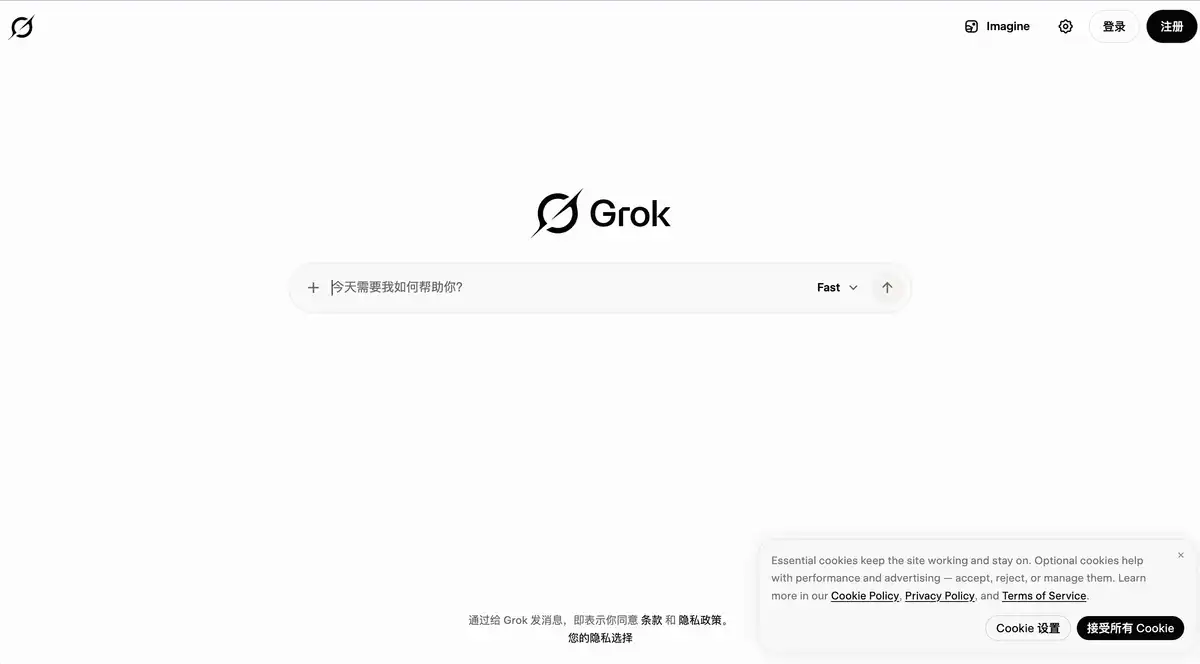
Site Introduction
Grok is an AI assistant created by xAI, available at grok.com, with iOS and Android clients as well.
It's different from ordinary AI chatbots — it can search the web and X in real time, so its answers are more up-to-date. In addition to AI chat, it also offers AI image / video generation (Grok Imagine), voice conversation, and file upload analysis.
Core Features
1. Intelligent AI chat + real-time web search
It can do everything a daily AI assistant should: write copy, fix code, summarize, and brainstorm.
The highlight is DeepSearch: when you need the latest information, Grok will search the web and X on its own, rather than relying solely on training data and making things up. For AI search, checking hot topics, and following news, it's more practical than a purely offline large language model.
2. Grok Imagine: AI image and AI video generation
Grok Imagine supports text-to-image and text-to-video generation. Paid tiers can produce higher-definition videos (SuperGrok supports 720p, Plus supports 1080p).
For cover images, short videos, and concept art, you don't need to find a separate AI image tool or AI video generation platform.
3. Multimodal file analysis
Supports uploading PDF, Word, Excel, PPT, code, images, audio, video, and more (up to about 150MB per file, and up to about 100 files at a time on the web).
Drop in a report, a contract, or a recording, and ask it to summarize, extract tables, or compare documents — it has all the file-handling capabilities an AI productivity tool should have.
4. Connectors + Grok Bot: connect tools and get things done
Connectors can use OAuth to connect to Gmail, Google Calendar, Google Drive, Outlook, Teams, SharePoint, Salesforce, and more, as well as custom MCP services.
Grok Bot (SuperGrok and above) is more like an AI colleague: it runs a browser and terminal on a persistent cloud computer and can complete complex tasks across multiple apps, not just give a text suggestion.
Pricing Model
There is a free tier and paid subscriptions. Official pricing is based on a "weekly shared usage pool."
| Plan | Price (US reference) | Main benefits |
|---|---|---|
| Free | $0/month | Free access to Chat, Voice, etc. |
| SuperGrok Lite | About $10/month | Entry-level paid; basic Imagine, Expert, etc. |
| SuperGrok | $30/month | Grok 4.6, DeepSearch, Imagine, Connectors, Grok Bot |
| SuperGrok Plus | $100/month | Higher usage, 1080p video, priority access |
| SuperGrok Heavy | About $300/month | Top tier, multi-agent reasoning, largest usage pool |
Additional notes:
- Free tier is usable, but advanced features like Imagine require payment; free Chat / Voice have separate limits, and the official site does not disclose specific counts.
- You can also use Grok within X via X Premium (about $8/month) or X Premium+ (about $40/month), with benefits not exactly the same as standalone subscriptions.
- Developers use the xAI API, billed per token (e.g., Grok 4.6 input at about $2 per million tokens), separate from consumer subscriptions.
Pricing may change; please refer to the official pricing page: https://x.ai/pricing
Comparison with Similar Platforms
Unique advantages
- Real-time X platform data: can search posts and discussions on X, track hot topics and public opinion — something ChatGPT / Claude cannot do by default to this depth.
- One account covers Chat + Imagine + Voice + Bot: no need to switch between multiple free AI tools.
- Connectors directly link office suites: OAuth access to Gmail, Outlook, Salesforce, etc., so you don't need to copy-paste when checking email or calendars.
Practical highlights
- DeepSearch automatically selects search terms, performs multiple rounds of retrieval for complex questions and then summarizes, like having an AI search partner who knows how to look things up.
- Grok Bot has a persistent cloud computer, can actually operate a browser and files, not just output a text suggestion.
Objective limitations
- Free quota is not transparent: the official site does not publish specific limits, so heavy users can easily hit the ceiling and experience fluctuates.
- Features are inconsistent across platforms: for example, Companions is only available on iOS; some entry points (like grok.x.ai) have incomplete features, and the official recommendation is to use grok.com.
- Too many plan tiers: Lite / SuperGrok / Plus / Heavy plus X bundles can confuse new users.
Similar tool comparison
| Comparison item | Grok | ChatGPT (OpenAI) | Claude |
|---|---|---|---|
| Free tier | Yes, Chat + Voice limited | Yes, GPT-4o mini etc. | Yes, Claude basic |
| Flagship model | Grok 4.6 | GPT-4o / o series | Claude 3.5 / 4 series |
| Real-time X data | ✅ Native support | ❌ No | ❌ No |
| Image/video generation | ✅ Grok Imagine | ✅ DALL·E / Sora | ❌ No native video |
| Voice conversation | ✅ Voice mode | ✅ Advanced Voice | ❌ No native voice |
| Office Connectors | ✅ Gmail/Outlook etc. | ✅ Partial integration | ✅ MCP support |
| Entry paid price | SuperGrok $30/month | Plus $20/month | Pro $20/month |
| Top-tier price | Heavy about $300/month | Pro $200/month | Max $200/month |
| Chinese experience | Good | Excellent | Excellent |
| Style | Direct, catches jokes | Balanced, general | Strong long-form writing |
FAQ
1. Is Grok completely free?
Not entirely. The free tier at $0 includes access to AI chat and voice conversation, with separate Chat / Voice limits. Grok Imagine (AI image / video), Expert, Grok Bot, etc. require SuperGrok or above. Check Settings → Usage for specific quotas.
2. What is the biggest difference between Grok and ChatGPT?
The biggest difference is real-time X data + online DeepSearch. For tracking social media hot topics and public opinion trends, Grok has a natural advantage. For general writing, coding, and long-form content, ChatGPT's ecosystem is more mature and has more plugins.
3. How many times can I use the free version per day?
The official site does not publish a specific number. Free Chat and Voice have separate limits, independent from the paid "weekly shared pool" and reset separately. You can check the remaining percentage in Settings → Usage.
4. Is SuperGrok at $30/month worth it?
If you use AI every day for writing, searching, image/video generation, the $30 tier includes Grok 4.6, DeepSearch, Imagine, Connectors, and Grok Bot, which is more cost-effective than repeatedly buying Extra Credits. If you only ask occasional questions, the free tier is sufficient.
5. Can I remove the watermark from Grok Imagine images/videos?
No. The official stance is clear: generated content carries a Grok watermark with no setting to disable it; tampering with the watermark violates the usage policy. Some jurisdictions also require labeling AI-generated content.
6. Do I need an X (Twitter) account to use it?
No. grok.com and the mobile apps can be registered and used independently. Linking an X account can sync X Premium subscription benefits, but it is not a requirement.
7. What is the difference between Grok Bot and normal chat?
Grok Bot is a persistent AI colleague running on a cloud virtual machine with a browser, file system, and terminal. It can complete multi-step tasks across Salesforce, Slack, web pages, and more, only asking you when approval is needed. Normal Chat is one-off Q&A; Bot is end-to-end delivery.