
TapNow
AI video work isn't just getting one clip—scripts, storyboards, consistency, and model switching are the hard part. TapNow pulls that into one node canvas, with TapTV to study full workflows from others. New users get free Tapies; deeper use needs a subscription.
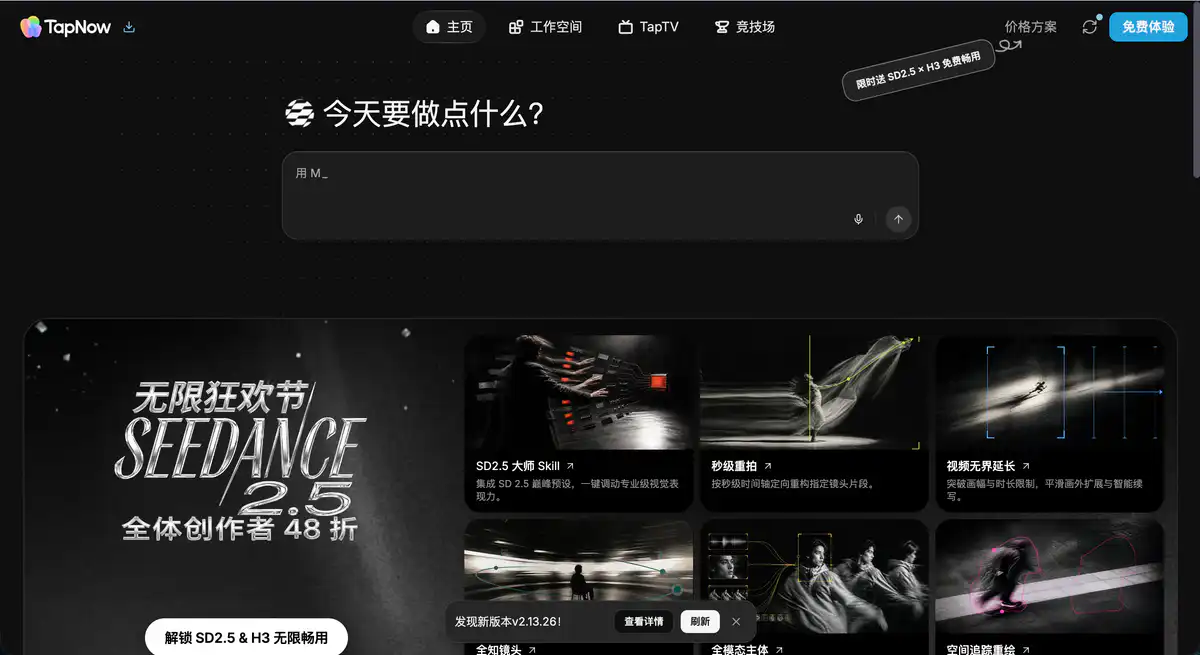
Site Overview
TapNow (app.tapnow.ai) is an AI visual creation workspace. It is not a single model, but rather brings together capabilities like text-to-image, image-to-video, AI storyboarding, and script generation into a node-based canvas (Tapflow). You can connect text, image, audio, and video nodes like building an assembly line, orchestrating 35+ models including Midjourney, VEO, Sora, Kling, and more in one place.
Core Features
1. Tapflow Node Canvas: Visual AI Workflow
The core is an infinite canvas where you place text, image, video, and audio nodes and connect them into a creative pipeline. No more switching back and forth between ChatGPT, Midjourney, and Runway. The entire AI workflow lives on one board — change one node, and everything downstream updates automatically. It has a lower barrier to entry than ComfyUI and is more controllable than purely chat-based AI tools.
2. Multi-Model Aggregation: 35+ Engines on One Platform
The paid version gives access to mainstream AI video generation and AI painting models such as Sora 2 Pro, VEO 3.1, Kling, Midjourney, Seedance, and more. Text-to-image, image-to-video, keyframe-to-video, and sketch-to-video are all supported. The free version also includes some models (reportedly 4 image models + 6 video models), including 1080p video generation with audio.
3. TapNow Agent: AI Executive Director
Built-in TapNow Agent understands every node and connection on the canvas. You describe your idea, and it helps break it into steps, execute generation, and adjust based on feedback. It is suitable for people who don't know how to build node graphs but want to produce videos following a director's approach. It also supports generating storyboards from scripts and automatically breaking down shots from uploaded videos.
4. TapTV Community: Clone Other People's Workflows
TapTV is the official creative community, featuring AI video cases such as TVCs, animations, and short films. When you see a project you like, you can clone the entire node workflow with one click, modify the prompt, and create your own version. Beginners can get up to speed much faster this way than starting from scratch.
Pricing Model
TapNow uses credits called Tapies for billing, with different models and output quality consuming different amounts. According to the Terms of Service, Tapies have no cash value; new users may receive a small amount of free credits, and as long as you don't actively purchase, no subscription fee will be charged.
| Plan | Price (third-party summary, subject to official site) | Tapies | Key Points |
|---|---|---|---|
| Free | $0 | 200 Tapies on signup + about 40 Tapies/week | 1 concurrent job; some models available; TapTV access |
| Basic / Standard | About $9–15/month | About 1,500 Tapies/month | Unlock all 35+ models; 4 concurrent jobs |
| Pro / Professional | About $30–56/month | About 6,000 Tapies/month | 8 concurrent jobs; faster queue |
| Ultimate / Flagship | About $180–258/month | About 30,000–36,000 Tapies/month | Unlimited concurrency; team collaboration |
| Max | About $360/month | About 90,000 Tapies/month | High-volume production; priority queue |
What can you do for free?
- Receive 200 Tapies after registration to try core features
- Get about 40 Tapies replenished weekly, enough for light use
- The free version includes some AI painting and AI video generation models
- Top-tier models like Sora 2 Pro and VEO 3.1 require a paid plan
Pricing may change; please refer to the official website for real-time prices: https://www.tapnow.ai/pricing
Comparison with Similar Platforms
Unique Advantages
- 35+ models orchestrated on one canvas — no separate subscriptions needed for Sora 2, VEO 3.1, or Midjourney
- Node-based Tapflow is friendlier than ComfyUI and more suitable for complex pipelines than single-model tools like Runway
- TapTV workflow cloning with thousands of open-source cases helps beginners produce results quickly
Practical Highlights
- Studio-grade lighting/camera controls: adjust brightness, color temperature, key light position, and multi-angle cube perspective
- Character consistency: maintain consistent appearance of people/products across shots, very useful for e-commerce and brand videos
Objective Limitations
- The node canvas has a learning curve; users accustomed to "input a prompt and wait for results" will need to adapt
- Tapies burn quickly — a few high-quality text-to-video generations can exhaust the free quota
Side-by-Side Comparison
| Comparison Item | TapNow | Krea | Runway | ComfyUI |
|---|---|---|---|---|
| Positioning | Multi-model creative OS | Real-time AI canvas | Professional AI video | Open-source node workflow |
| Entry price | Free + about $9–15/month | About $10/month | About $12/month | Free (bring your own compute) |
| Number of models | 35+ integrated | 15+ rotating | Primarily in-house | Unlimited (self-deployed) |
| Sora / VEO | ✅ Available on paid plans | ❌ | ❌ | Requires manual integration |
| Node canvas | ✅ Tapflow | ✅ | ❌ | ✅ |
| Workflow community | ✅ TapTV | Limited | ❌ | Large community |
| Learning curve | Medium | Medium | Low | High |
| Best for | E-commerce/ads/multi-model creators | Real-time painting exploration | Pure video generation | Technical enthusiasts |
FAQ
1. What does TapNow do?
A browser-based AI visual creation platform. On the Tapflow canvas, you connect nodes for AI painting, AI video generation, scripts, storyboards, and other steps, taking a project from copy to final video in one interface. It is aimed at e-commerce advertising, brand video, and short-film creators.
2. Is it really free?
You get 200 Tapies on signup, plus about 40 Tapies per week, which is enough for trial and light creation. Heavy use of AI video generation (especially Sora- and VEO-level models) requires a paid plan. You will not be automatically charged if you don't purchase a subscription.
3. How is it different from Runway or Pika?
Runway and Pika focus on single-purpose text-to-video. TapNow is a multi-model workflow platform — on the same canvas you can use Midjourney for images, Kling for video, and the Agent to orchestrate steps. It is for people who need a complete creative pipeline, not a simple "type a sentence and get a video" tool.
4. Can beginners use it?
Yes, but patience is needed. The node canvas is a bit more complex than chat-based free AI tools. It is recommended to first go to TapTV, clone an existing workflow, modify the prompt, and run it once before building your own nodes. Agent mode can also lower the barrier.
5. Can generated content be used commercially?
The Terms of Service has specific provisions on intellectual property for output content. Multiple third-party reviews mention that paid plans include commercial licensing, but the specific scope is subject to the purchase page and terms. It is recommended to confirm the current policy before commercial use.
6. Which AI models work best?
It depends on the task. Midjourney is commonly used for visual concept exploration; VEO 3.1 has a good reputation for video texture; Kling and Sora 2 Pro are popular for motion and effects. TapNow's value lies in switching models per node within the same project, without repeated export and import.
7. How long do Tapies last?
It depends on usage. One AI painting may cost a few to over ten Tapies; one AI video may cost dozens to over a hundred. The free 200 Tapies can produce roughly dozens of images or a few short videos. For heavy creators, Basic (1,500/month) is more realistic.