CloudConvert
Wrong format, wrong mood. Drop the file, pick an output—docs, media, archives, 200+ formats covered.
Site Info
- Official domain
- cloudconvert.com
- Operator
- Lunaweb GmbH
- Launch date
- 2012
- Pricing
- Partially free
- Languages
- English
- Last updated
- August 28, 2026
Site Overview
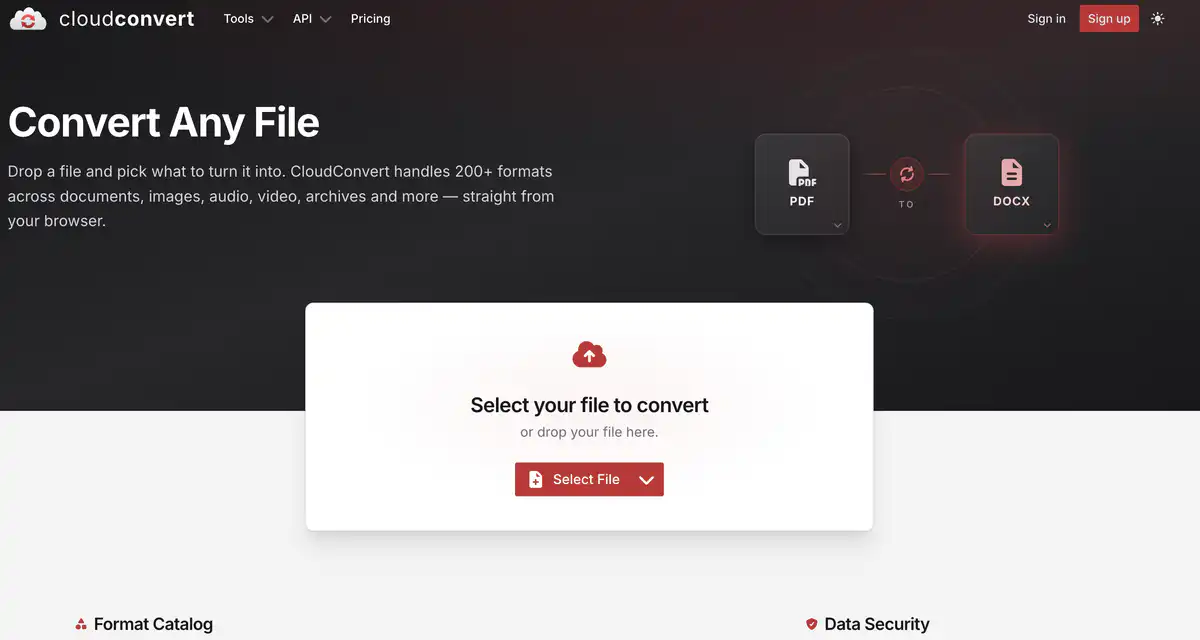
CloudConvert is an online file format conversion tool.
Drop in a file, choose the target format, and convert right in the browser. It supports about 212 formats across 11 major categories: documents, images, audio/video, archives, e-books, and even CAD and fonts.
Core Features
1. Multi-category online conversion
Common examples include PDF to Word, DOCX to PDF, image format conversion, video conversion, and audio conversion.
It also covers spreadsheets, presentations, e-books, archives, and more.
2. Adjustable conversion parameters
You can adjust options such as quality and watermark by file type.
Different engines (such as for document types) can be selected based on the scenario.
3. Developer API (Jobs / Tasks)
Use Jobs to orchestrate import, conversion, and export.
It can integrate with your own storage (such as S3, Azure, Google Cloud, etc.).
4. Security and compliance orientation
The operator is Lunaweb GmbH in Germany, with an ISO 27001 management system description.
Files are not stored long-term after processing; the privacy policy states deletion within about 24 hours at the latest, and you can also delete them manually.
Pricing Model
There is a free quota, and usage-based payment is also available.
The officially published tiers are roughly as follows:
- Free (€0)
- About 10 credits / day (resets daily)
- Single-file limit of about 1 GB
- Processing time limit of about 5 minutes
- Package (one-time credit purchase)
- Credits never expire (pay as you go)
- Higher priority; paid tiers commonly have no hard limits on single-file size, processing time, or concurrency (subject to the page)
- Subscription (monthly credits)
- Fixed monthly credits, usually at a lower unit price (the official site says it can be up to about 50% cheaper than Package)
- Unused credits reset at the end of the month and do not roll over
Fees may change. Please refer to the website: https://cloudconvert.com/pricing
Comparison with Similar Platforms
Unique Advantages
- Broad format coverage, not just PDF—audio/video, archives, and e-books are also well covered
- The API uses Job orchestration, making it convenient to integrate with cloud storage for automation
- A clear free daily quota, with the option to buy credits or subscribe
Practical Highlights
- The credit system makes the cost of large files or complex conversions more predictable
- Team Billing allows multiple people to share billing while files remain isolated by account
Objective Limitations
- The free tier only provides about 10 credits per day, which is quickly insufficient for heavy users
- Monthly subscription credits do not roll over; complex types (especially PDF↔Office) have higher base credit costs, so actual costs need to be calculated yourself
| Comparison Item | CloudConvert | Convertio | Zamzar |
|---|---|---|---|
| Format Breadth | Very broad (200+) | Broad | Medium and practical |
| API/Automation | Strong (Job + cloud storage) | Available | Available, more basic capabilities |
| Billing Feel | Credit/time-based | Often per-use/plan | Often per-use/plan |
| Suitable For | Individual conversion + developer integration | Lightweight online conversion | Simple batch conversion |
FAQ
Q1: Is CloudConvert free?
A: You can use it for free, but there is a daily quota. The free plan is about 10 credits per day. For heavy conversion or when API volume increases, you will need to buy credits or a subscription.
Q2: How many credits does one file cost?
A: It depends on the file type and processing time. Most cost at least 1 credit; conversions like PDF to Office consume more resources and have a higher base credit cost. There is a Credits Calculator on the page to estimate.
Q3: How do I choose between Package and Subscription?
A: For occasional use and avoiding waste, buy a Package; credits never expire. For stable monthly usage, a subscription is usually more cost-effective, but credits reset at the end of the month.
Q4: Will my files be kept or viewed by anyone?
A: The official statement says files are processed in isolated containers, are not manually reviewed, and are deleted after processing (within about 24 hours at the latest). For confidential materials, local tools or self-hosted solutions are still recommended to be safer.
Q5: Can it connect to Google Drive / Dropbox / S3?
A: Yes, it can integrate with common cloud storage services for import and export (subject to the current integration list), which is suitable for workflows where files are already in the cloud.
Q6: Is it suitable for developers to integrate into products?
A: Yes. API v2 uses Job/Task orchestration, has documentation and an SDK ecosystem, and provides a Sandbox for development and testing (use according to official instructions).
Q7: How does it compare with tools like ILovePDF?
A: If you only need PDF-related tasks, dedicated PDF sites may be more focused. If you need to handle multiple formats such as documents, audio/video, archives, or need an API, CloudConvert is a better fit.
Related sites
iLoveIMG
iLoveIMG is a suite of online image processing tools — it can compress, crop, convert formats, remove backgrounds, and add watermarks.
Pixlr
Pixlr is a suite of free online AI image editors that also offers AI image generation and short video tools.